Choosing the right typography sets the mood for your big day. Many couples want something modern yet readable for their stationery. The Anton typeface offers a bold, condensed look that stands out on cardstock. It works best when balanced with softer styles to keep the invitation feeling celebratory rather than industrial. Using this font successfully means understanding how to pair it so the text remains easy to read while making a strong visual statement.
Why use Anton for wedding invites?
This font creates strong hierarchy on the page. Its heavy weight draws the eye immediately to key details like the couple's names or the date. Because it is all-caps by design, it commands attention without needing extra decoration. You might choose it for a modern minimalist wedding or an urban venue where clean lines match the architecture. It is not suitable for long paragraphs, but it excels as a header font.
Which fonts pair best with Anton?
Balance is the most important factor when selecting a partner typeface. Since Anton is loud and thick, the secondary font should be lighter and more detailed. Here are three common directions couples take:
Scripts for elegance
For a traditional feel, pairing with script fonts adds elegance to the heavy headers. A flowing calligraphy style contrasts well with the rigid blocks of Anton. This mix works well for formal evening weddings where you want a touch of romance alongside modern structure.
Rustic and textured styles
Couples aiming for a barn venue might explore rustic design styles that soften the bold lines. Textured serifs or hand-drawn elements can make the invitation feel warmer. This approach helps the bold text fit into a natural, earthy theme without looking out of place.
Clean sans-serif partners
Modern minimalism often relies on clean sans-serif partners to maintain readability in smaller text blocks. If you use a simple font for the details like time and location, the invitation stays easy to scan. This combination keeps the design crisp and very contemporary.
What mistakes should you avoid?
Using Anton for body text is the most common error. The thick strokes become hard to read when sized down for addresses or directions. Never use it for paragraphs smaller than 10 points. Another issue is spacing. Condensed fonts need extra breathing room between letters when used at large sizes. If the letters touch, the text looks messy and unprofessional.
Limit your design to two fonts maximum. Adding a third style creates visual clutter. Stick to one for headers and one for details. Ensure there is enough contrast between the two. If both fonts are too similar in weight, the hierarchy disappears and guests might miss important information.
How do you finalize the design?
Always print a test copy on the actual paper you plan to use. Colors look different on screens than they do on matte or textured stock. Check that the ink does not bleed into the small details of your secondary font. Ask a friend to read the test print from a distance to ensure the main details pop.
Save your final files in high-resolution PDF format. This ensures the printer sees the fonts exactly as you designed them. Embed the fonts in the file so nothing shifts during production. Double-check the spelling of names and dates before sending everything to print.
Pre-print checklist
- Verify Anton is used only for headers or names.
- Ensure body text is at least 10 points for readability.
- Check letter spacing on large titles.
- Print a physical proof on the final paper stock.
- Confirm all dates and venue addresses are correct.
Start by drafting your text in a document before opening your design software. Write out the full wording to see how much space you need. This helps you decide if Anton fits your layout without crowding the page. Once you have the text ready, experiment with the pairings mentioned above to find the right balance for your theme.
Download Now Pair Anton with Roboto for Logo Design
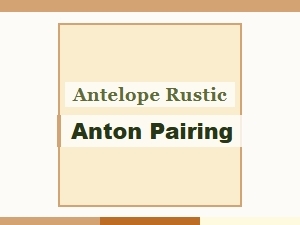 Anton and Rustic Pairing with Antelope
 Font Pairings for Anton Editorial Headers
 Choosing a Perfect Script Antagonist for Anton Sans
 Anton Bold Font Pairings for Vintage Wedding Themes
 Anton Bold Pairing Techniques for Durable Outdoor Signage