Anton grabs attention immediately. Its tall, bold letters work well for main titles on websites and posters. However, using it for every line of text makes a design feel heavy. You need supporting fonts to keep things readable and balanced. When Anton is the main display font, choosing the right secondary typeface determines if your audience stays engaged or scrolls away.
Why does Anton require a contrasting typeface?
Anton is a condensed sans-serif. It takes up vertical space and demands focus. If you use it for body text or subheadings, readers might struggle to scan the content. The visual weight is too high for long passages. Pairing it with a lighter font creates hierarchy. This guides the eye from the main headline down to the details without overwhelming the viewer.
Designers often use Anton for impact. It works well for short phrases. But a page needs breathing room. A neutral partner font handles the heavy lifting of information delivery. This balance ensures the main message stands out while supporting text remains clear.
Which fonts pair best with Anton for subheadings?
Simple sans-serifs work well because they do not compete for attention. Open Sans offers a neutral look that keeps the focus on the headline. For a bit more character, Roboto maintains clarity across different screen sizes. Both options provide enough contrast to let Anton shine.
Context matters when selecting these pairings. If you are working on high-end products, you might need something sharper to convey elegance. We discuss specific pairings for luxury brand packaging in another section of our site where subtlety is key. For athletic designs, the energy needs to match the brand vibe. You can see how we handle sports team merchandise where boldness is key and readability on fabric is essential.
How do you maintain readability with bold headlines?
Keep body text simple and legible. Do not use all caps for long sentences. Anton looks best in uppercase, but secondary fonts should follow standard sentence case. This distinction helps users understand what is a title and what is content. Size also matters. Your subheadings should be noticeably smaller than the main Anton headline.
Color contrast supports hierarchy too. A dark gray body text on a white background reduces eye strain. Save the black or bold colors for the main display text. This technique keeps the design clean. It prevents the page from looking like a wall of text.
What are common errors when using Anton?
Spacing issues often ruin the look. Anton needs room to breathe. Tight kerning makes the letters feel cramped. Add extra letter-spacing if you use it in all caps. Another mistake is using it for long paragraphs. The condensed shape makes reading slow. Stick to headlines and short labels.
Ignoring mobile views is another risk. A font that looks great on a desktop might be too large on a phone. Test your combinations on different devices. Ensure the secondary font remains readable when the Anton headline scales down. Consistency across platforms builds trust with your audience.
Quick checklist for pairing fonts with Anton
- Choose a neutral sans-serif for body text.
- Avoid using Anton for paragraphs.
- Check letter-spacing on uppercase headlines.
- Test readability on mobile devices.
- Ensure color contrast supports hierarchy.
Start by selecting one secondary font and stick with it. Consistency helps users navigate your content faster. Try different weights of the partner font to create internal hierarchy without adding new typefaces. This keeps your design system simple and effective.
Try It Free Showcase Section Headings Paired with Anton Font Alternatives
 Pairing Companion Fonts for Anton on Luxury Packaging
 Pairing Anton with Fonts for Sports Team Merchandise
 Pair Anton with Roboto for Logo Design
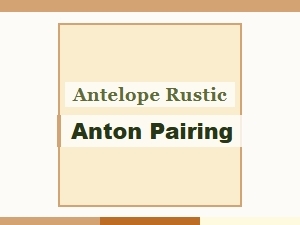 Anton and Rustic Pairing with Antelope
 Anton Bold Font Pairings for Vintage Wedding Themes