Anton grabs attention immediately. Its bold, condensed shapes work well for brand names on boxes. But luxury packaging requires more than just loud text. You need balance. A secondary font handles ingredients, descriptions, and subtle details without fighting the main logo. Pairing the right typeface ensures your product looks expensive rather than industrial.
Why does luxury packaging need a secondary typeface?
Anton dominates space. If you use it for everything, the design feels heavy. High-end brands rely on whitespace and readability. A companion font softens the look. It guides the eye from the brand name to the product details. If you are considering other bold options, you might explore other display options before settling on a pair. The goal is to let the brand name stand out while keeping information clear.
Which fonts pair well with Anton's condensed style?
Serif fonts add tradition and elegance. They contrast nicely with Anton's geometric sans-serif structure. Try Playfair Display for a classic touch. For a modern look, use a light sans-serif. The goal is contrast. Do not pick another condensed bold font. Light weights provide the necessary breathing room around the heavy headlines.
How should you arrange text on small labels?
Space is limited on packaging. Anton works for the front face. The back or side panels need smaller text. You need to see how headings pair with body text to ensure legibility. Increase leading on the companion font. Keep the font size above 6pt for legal text. Proper spacing prevents the design from looking cluttered when printed on physical materials.
What mistakes ruin luxury typography?
Using too many fonts creates clutter. Stick to two families maximum. Avoid stretching fonts to fit space. This distorts the letterforms and looks cheap. When choosing headlines when Anton leads, ensure the hierarchy is clear. Do not let the body text compete for attention. Consistency across all packaging elements builds brand trust.
Practical steps for finalizing your design
Test your pairing on actual mockups. Screen viewing differs from print. Check contrast ratios for accessibility. Make sure the companion font remains readable under various lighting conditions. Print a proof before mass production to catch any spacing issues early.
- Limit to two font families.
- Ensure body text is readable at small sizes.
- Check kerning on the brand name.
- Print a proof before mass production.
 Showcase Section Headings Paired with Anton Font Alternatives
 Best Fonts to Pair with Anton for Headlines
 Pairing Anton with Fonts for Sports Team Merchandise
 Pair Anton with Roboto for Logo Design
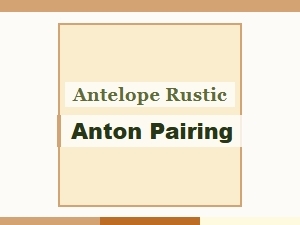 Anton and Rustic Pairing with Antelope
 Anton Bold Font Pairings for Vintage Wedding Themes