Luxury branding often relies on subtlety, but high-end products sometimes need immediate visual impact. Professional anton font combinations for luxury brands solve this by pairing a bold, condensed typeface with elegant counterparts. Anton offers strong presence without clutter, making it useful for headlines where attention matters most. When used correctly, it creates a modern contrast against refined serif or minimalist sans-serif fonts.
This approach works best when you need to balance authority with sophistication. A heavy weight font like Anton draws the eye, while a lighter partner font handles readability. The goal is not to let the boldness overpower the brand's premium feel. Instead, the combination should guide the viewer through the hierarchy of information smoothly.
Why choose Anton for high-end branding?
Anton is a Google Font known for its tall x-height and narrow width. These traits allow designers to use large sizes without consuming excessive horizontal space. In luxury contexts, white space is valuable. Using a condensed font preserves that space while maintaining legibility on banners or hero sections.
Brands use this style when they want to appear modern yet established. It works well for fashion labels, automotive companies, and architectural firms. The key is restraint. You would not use this font for body text. It belongs in titles, logos, or short calls to action where impact drives the message.
Which fonts pair best with Anton?
Successful pairings depend on contrast. Since Anton is geometric and bold, partner fonts should offer softness or neutrality. Here are three effective directions:
- Classic Serifs: Fonts like Playfair Display or Merriweather add tradition. This mix suggests heritage and quality.
- Clean Sans-Serifs: Fonts like Lato or Montserrat keep the look modern. This works for tech luxury or minimalist skincare.
- Light Scripts: Use these sparingly. A thin script can add a human touch to the rigid structure of Anton.
When selecting a partner, check the cap height. If the secondary font is too small compared to Anton, the hierarchy breaks. Adjust the size until the visual weight feels balanced. You want the eye to move naturally from the headline to the supporting text.
How do you adapt these pairings for different media?
Context changes how fonts perform. A combination that looks sharp on a website might fail on physical materials. You need to consider where the customer sees the brand.
For heritage products or events, you might explore styles that evoke history. Designers working on antique-inspired pairings often adjust spacing to mimic older printing methods. This adds warmth to the digital sharpness of Anton.
Motion graphics require different handling. Text moves, so clarity is vital. If you are creating brand films, review cinematic video titles to ensure the bold strokes remain readable during animation. Tracking and kerning become more critical when the text is on screen for only a few seconds.
Physical environments present durability challenges. Signage faces weather and viewing angles. Techniques used for outdoor signage focus on stroke width and material contrast. A font that looks good on a monitor might disappear on a textured storefront wall if the weight is too light.
What common mistakes should you avoid?
Many designers push bold fonts too hard. Here are specific errors that reduce perceived value:
- Overusing All Caps: Anton is already loud. Adding all caps to long sentences looks aggressive rather than luxurious.
- Ignoring Kerning: Tight spacing can make letters touch. Loose spacing can break word recognition. Adjust manually for headlines.
- Clashing Styles: Do not pair Anton with another decorative display font. Two loud voices create noise, not harmony.
- Poor Color Contrast: Luxury often uses muted palettes. Ensure the bold font stands out against the background without vibrating.
Test your combinations in grayscale first. If the hierarchy holds without color, the font weights are correct. Color should enhance the design, not fix structural issues.
Practical steps for implementation
Start by defining the role of each font. Assign Anton to headlines only. Choose a secondary font for body copy and navigation. Set a clear scale, such as making the headline 2.5 times larger than the body text.
Review the result on multiple devices. A combination that works on a desktop might look cramped on mobile. Adjust line height to ensure breathing room around the bold text. Finally, gather feedback from someone outside the design team. If they understand the brand message instantly, the pairing is successful.
Quick checklist for luxury font pairing
- Limit usage of Anton to headlines or logos.
- Pair with a serif or neutral sans-serif for body text.
- Check kerning on specific letter pairs like "AV" or "To".
- Ensure high contrast between text and background.
- Test readability on mobile screens and print materials.
- Verify that the secondary font supports all necessary languages.
 Anton Bold Font Pairings for Vintage Wedding Themes
 Anton Bold Pairing Techniques for Durable Outdoor Signage
 Mastering Anton Bold Pairing for Cinematic Titles
 Pair Anton with Roboto for Logo Design
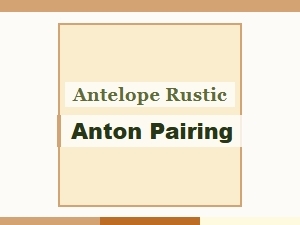 Anton and Rustic Pairing with Antelope
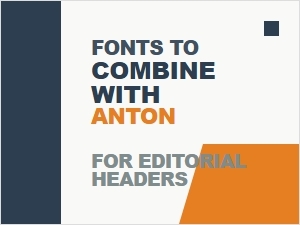 Font Pairings for Anton Editorial Headers